 11Tactics
Draw the drill.
Press play.
A tactics board that actually moves. Set your players out, save a few frames, and every run, pass and rotation plays back smoothly — then print the session plan or export the whole thing as a video.
Free while in early access — no card, no trial countdown. Runs in your browser, nothing to install.
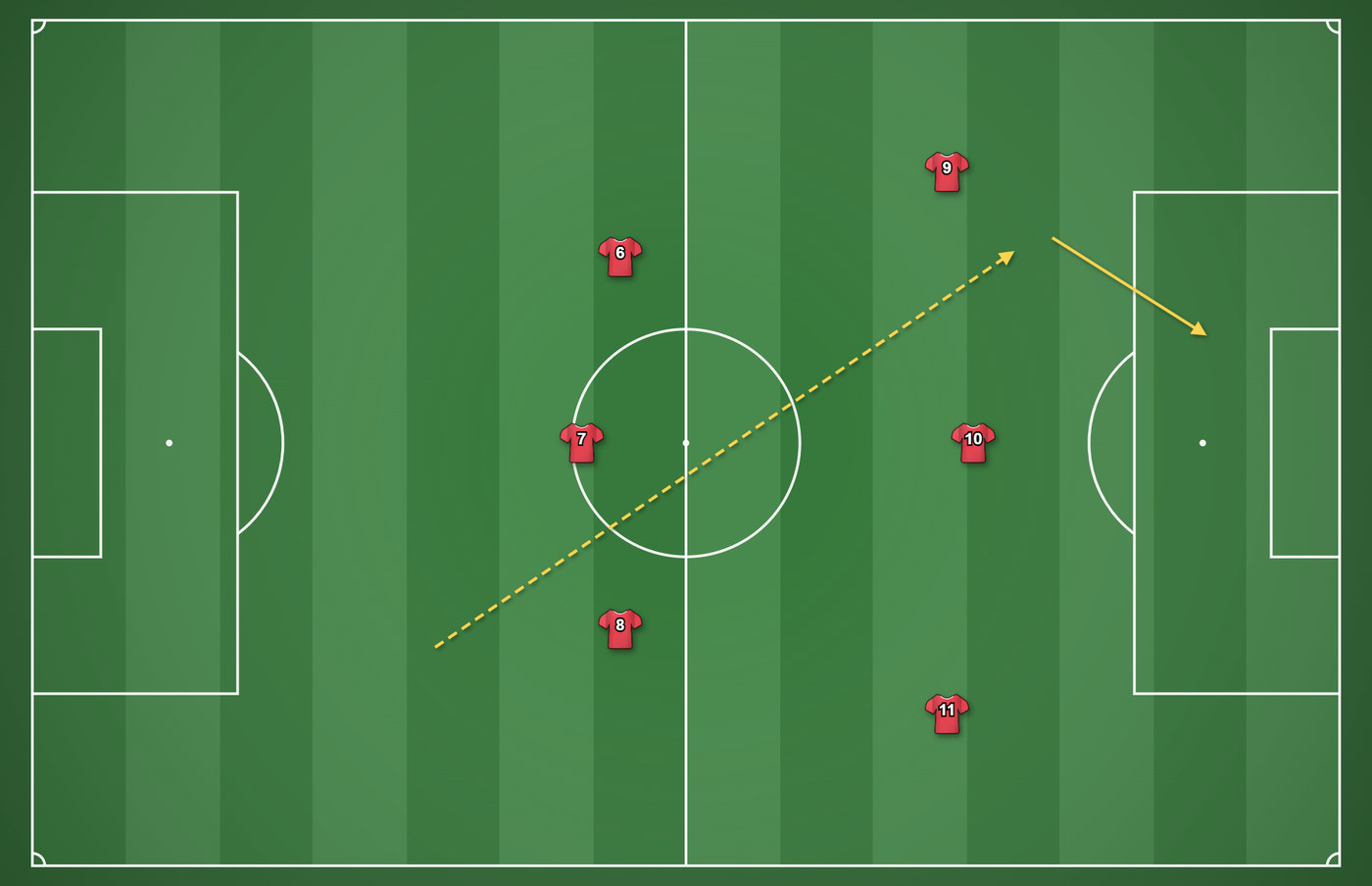




Two frames, and it moves
Drop a formation on, drag the players where they end up, press Add Frame. The board fills in everything in between — then export it as a video for the players' phones.
Everything a session needs, in one board
Built around how coaches actually plan — drills inside sessions, not a pile of loose diagrams.
Animation that reads properly
Save a frame, move everyone, save another. Playback tweens between them, curves the runs you want curved, and rolls the ball as it travels.
Retime any phase
Drag a marker to move one moment, or set a phase's length and everything after it shifts — so making the third phase slower doesn't wreck the rest.
Session plans you can print
Every drill in the session, one to a page, with its name and your coaching notes underneath. Hand it to an assistant and it makes sense without you.
Every pitch, properly to scale
Full, half, penalty area, futsal and minifootball — each drawn to real dimensions, so a penalty box is the same size whichever you pick.
Your colours, your shape
Two-colour kits in sixteen patterns, keepers picked out automatically, and formations from 4-4-2 down to 5-a-side dropped on in one click.
Share it any way you like
PNG and PDF for the folder, MP4, WebM or GIF for the group chat. Everything exports at full resolution, whatever size your screen is.
Three steps to a finished drill
Most coaches have something worth sharing inside five minutes.
Set the scene
Pick the pitch, drop a formation on, and add the cones, goals and equipment you're actually using.
Add a few frames
Move players to where they end up, hit Add Frame, repeat. The board fills in everything in between.
Print it or send it
Export the session plan for the folder, or the animation as a video for the players' phones.
A look at the board
Real drills, built in the app.
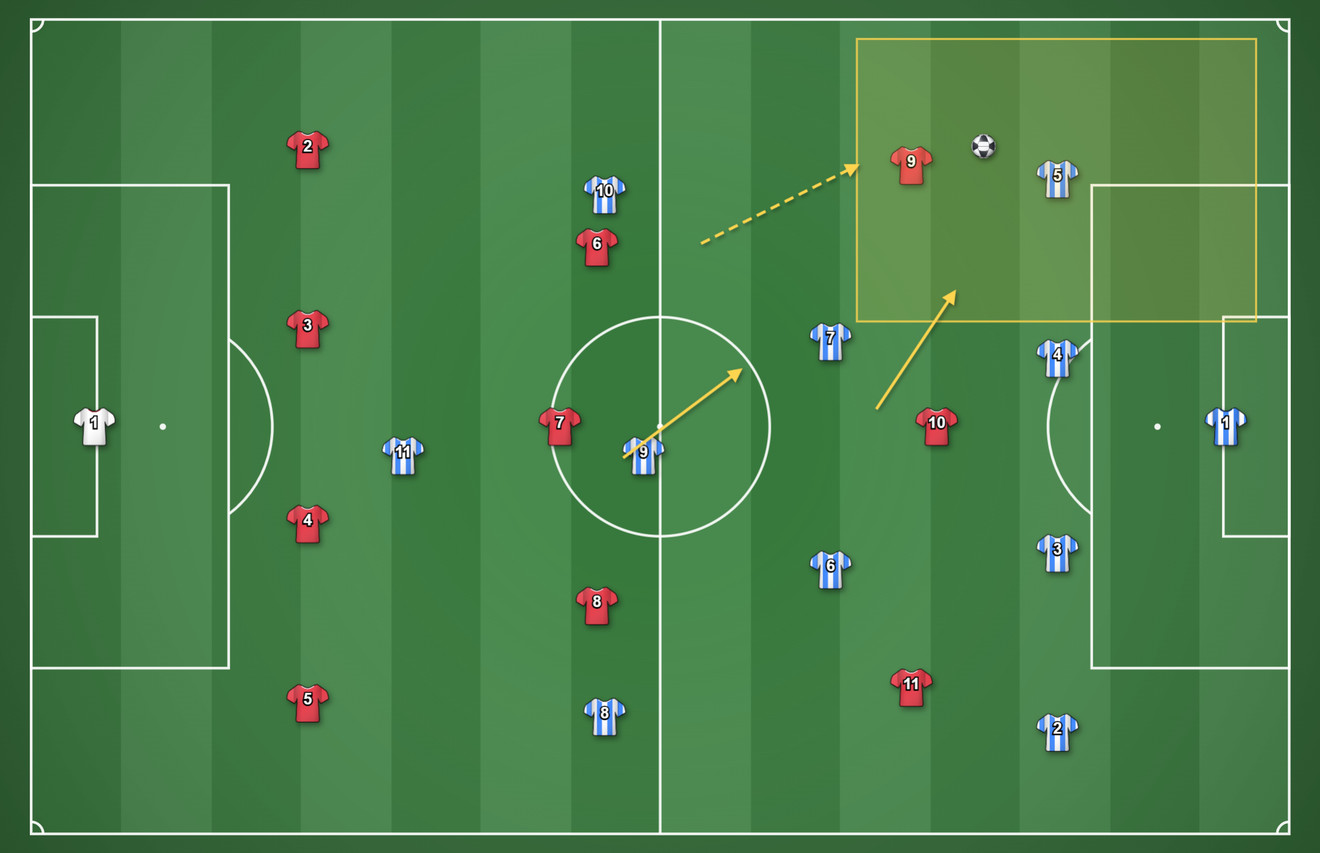
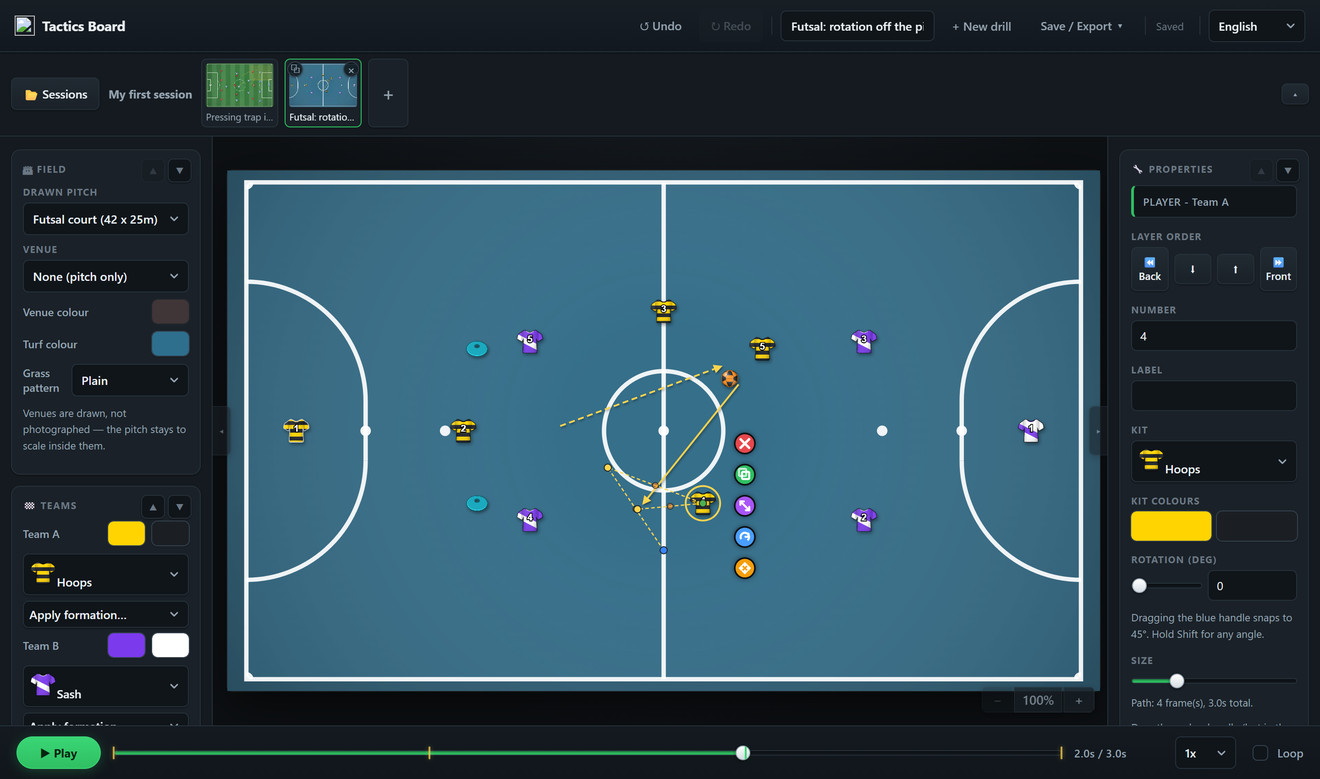
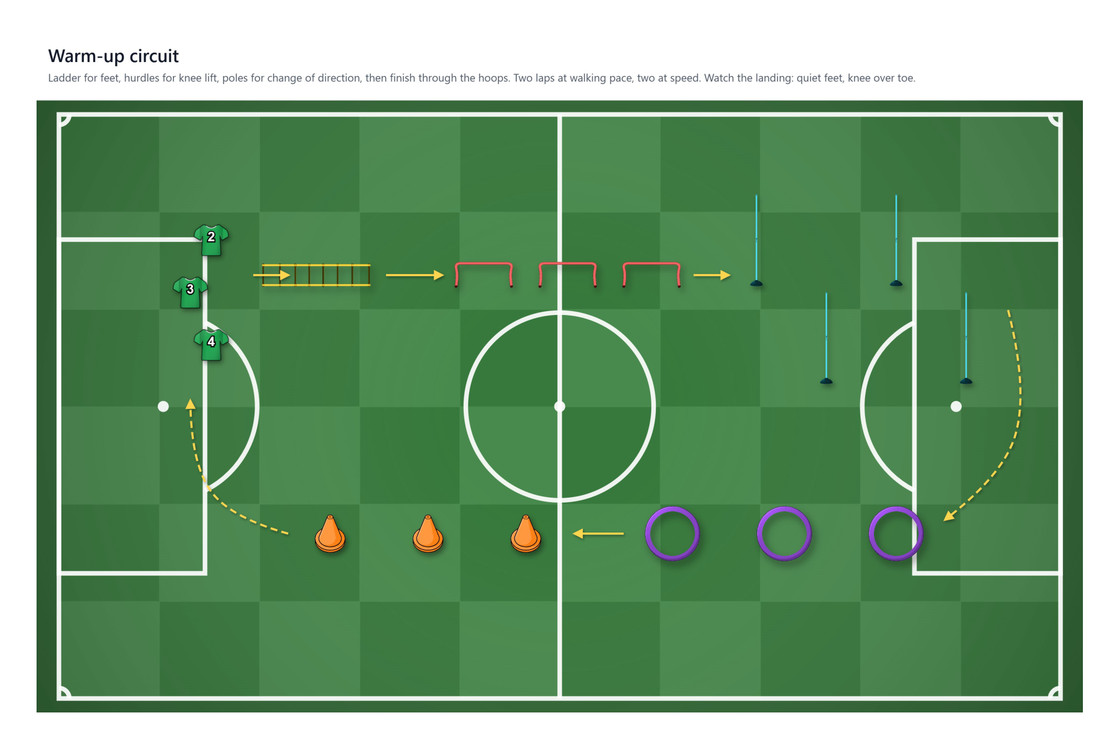
Create your account
Your sessions are saved to your account and open on any device.
Free while in early access — no card needed.
By continuing you agree to the terms and privacy policy.